All Activity
- Today
-
 Spanaly joined the community
 -
 Imad El Aymani joined the community
 - Yesterday
-
 IPTVviva changed their profile photo
 -
TiviMate is one of the leading IPTV applications designed for Android devices and Android TV. It provides users with a seamless experience to watch live television channels from various IPTV providers. With a clean and intuitive interface, TiviMate appeals to both casual viewers and tech-savvy users looking for advanced customization options. User Interface & Design: TiviMate offers a modern, minimalistic design that makes navigation easy. Channels are organized into categories, and users can customize their playlists for a personalized experience. The app also supports multiple playlists, allowing users to switch between different IPTV services effortlessly. Features: EPG Support: TiviMate supports Electronic Program Guides (EPG), enabling users to see daily schedules for their favorite channels. Multiple Playlists: Users can add more than one playlist at a time, making it convenient for those who subscribe to multiple IPTV providers. Catch-up & Recording: The app offers options to record shows and watch them later, though some features require the premium version. Favorites & Categories: Channels can be marked as favorites and organized into custom categories for quick access. Advanced Playback Options: Users can control playback speed, skip commercials (if supported), and customize viewing preferences. Pros: Clean, user-friendly interface suitable for TV and mobile. Flexible playlist management for multiple IPTV sources. Powerful EPG integration for daily program tracking. Options for recording and catching up on shows. Cons: Some advanced features require a premium subscription. Dependent on a stable internet connection for optimal performance. Occasional compatibility issues with certain IPTV providers. Conclusion: Overall, TiviMate is a top choice for anyone serious about IPTV. Its combination of a polished interface, advanced playlist management, and robust features makes it ideal for both beginners and advanced users. While the free version is sufficient for casual viewing, the premium version unlocks the full potential of the app, making it a worthwhile investment for IPTV enthusiasts

-
A fast and stable internet connection is essential for smooth IPTV streaming. Many users experience buffering or lag due to slow connections or improper settings. In this guide, you will learn how to optimize your internet for the best IPTV performance. 🚀 Best Ways to Optimize IPTV Streaming 1️⃣ Use a High-Speed Internet Connection Minimum recommended speed: 10 Mbps For HD/4K streaming: 20–50 Mbps Test your internet speed regularly Faster internet = smoother streaming 2️⃣ Use Ethernet Instead of Wi-Fi Ethernet provides a more stable connection than Wi-Fi Reduces buffering and interruptions Ideal for Smart TVs and streaming boxes Wired connection = best performance 3️⃣ Switch to 5GHz Wi-Fi 5GHz band is faster than 2.4GHz Less interference from other devices Better for uninterrupted streaming Always choose 5GHz if available 4️⃣ Close Background Apps and Devices Close unused apps on your Smart TV or box Limit other devices using the same network Frees up bandwidth and memory Less load = better streaming 5️⃣ Restart Your Router Regularly Refresh your network connection Fix minor speed or connectivity issues Improve overall stability Restart once every few days 📌 Final Thoughts Optimizing your internet is key to enjoying IPTV without interruptions. By following these tips, you can achieve smooth, high-quality streaming every time.
-
The IPTV world is constantly evolving, and apps are getting better every year. In 2026, several IPTV applications have introduced new features, improved performance, and better user experiences. In this article, we’ll explore the latest updates and what they mean for users. 1️⃣ TiviMate TiviMate continues to be one of the most popular IPTV players. New Updates: Improved user interface Faster channel loading Better EPG (TV Guide) support Bug fixes and stability improvements 👉 Ideal for Android TV users looking for a smooth experience. 2️⃣ IPTV Smarters IPTV Smarters remains a strong option for many users. New Features: Enhanced streaming performance Updated design and layout Multi-screen support improvements Better compatibility with different devices 👉 Great for beginners and advanced users. 3️⃣ VLC Media Player Even though it’s not only for IPTV, VLC is still widely used. Latest Improvements: Improved streaming support Better format compatibility More stable playback 👉 Perfect for users who want a simple and free solution. 📊 What These Updates Mean These improvements bring: Faster streaming Fewer crashes Better user experience More stable IPTV playback Users can now enjoy smoother and more reliable streaming than before. ⚠️ Important Note Always use trusted and legal sources when configuring IPTV apps. Avoid unknown or unsafe links to protect your device and data. 📌 Final Thoughts IPTV apps in 2026 are more powerful and user-friendly than ever. With constant updates and improvements, users can enjoy better performance and a smoother streaming experience. 💬 What IPTV app do you use? Share your experience below!
-
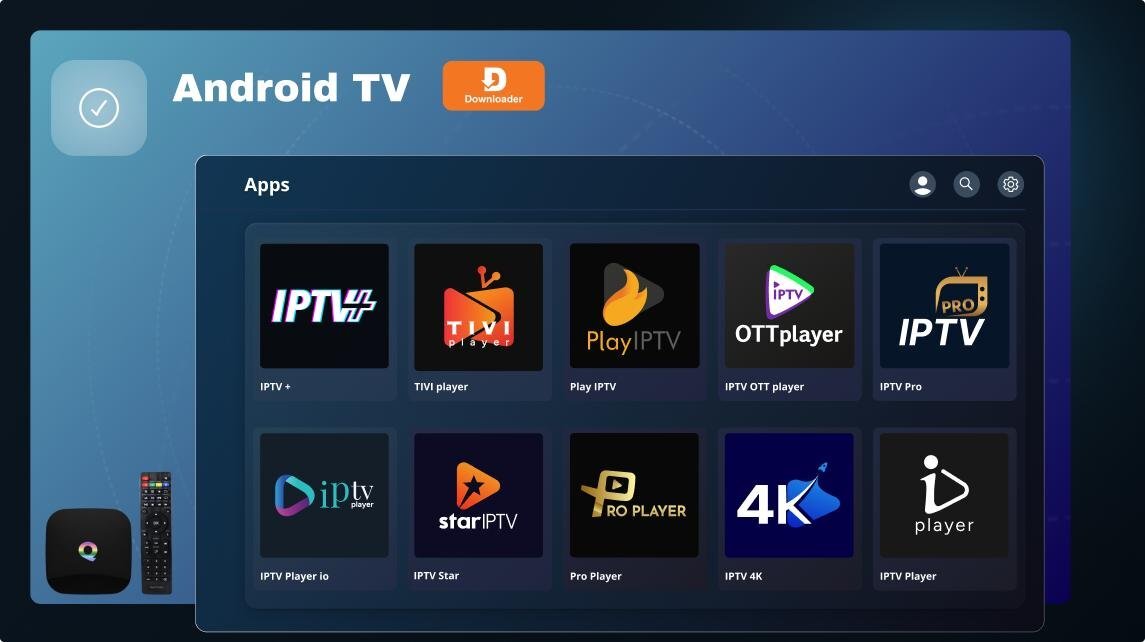
Setting up IPTV on your Smart TV is easy and takes only a few minutes. This guide will help you get started quickly and enjoy smooth streaming. 🔧 What You Need Before you begin, make sure you have: A Smart TV (Samsung, LG, or Android TV) A stable internet connection An IPTV player app A valid IPTV playlist (from a legal provider) ⚙️ Step 1: Install an IPTV App Open your TV App Store Search for an IPTV app (e.g., IPTV Smarters) Install the app on your device ▶️ Step 2: Open the App Launch the app Accept permissions Wait for it to load 🔗 Step 3: Add IPTV Playlist Select “Add Playlist” or “Login” Enter your playlist URL or login details Save your settings 📡 Step 4: Load Channels Wait for channels to load Browse categories (Sports, Movies, News) Organize channels if needed 🎬 Step 5: Start Watching Select any channel Start streaming and enjoy 🚀 Tips for Better Streaming Use at least 10 Mbps internet speed Prefer Ethernet or 5GHz Wi-Fi Keep your IPTV app updated Restart the app regularly 📌 Final Thoughts Setting up IPTV on a Smart TV is simple when you follow the correct steps. With a stable connection and the right app, you can enjoy a high-quality streaming experience. 💬 If you have any questions, feel free to reply below!

.jpg.8224306c95ce4bfb85b0ce0c9c4e56e0.jpg)
ethernet.jpg.3d33a599d896fac85bdf9c58a705bc32.jpg)
5ghzvs2_4ghz.png.5249544940acc53d5430b36cb4f7f58e.png)
2.jpg.bc31db6967498a19aa48d511d3da2199.jpg)
restartyourrouter.jpg.ed61a87a72e14ee7474bf9aeef762fc9.jpg)


.jpg.84790bdcb0a7f52afbcb108d4d765189.jpg)
2.jpg.a712e8e88769a8c28e1e4a434ebe4e30.jpg)
3.jpg.64bb8124168d57e2b638106de817e6ba.jpg)
4.jpg.d555ce956fd9168d0cdcaf5db5020e02.jpg)
5.jpg.ed67e3ecbb575522fc5d5151f8bd77d4.jpg)